Most people run two calendars. There's the real one — full of invites, recurring standups, and the meeting someone just moved to 3pm — and then there's the separate list you have to keep inside whatever app you use to record. Every time something changes in the first calendar, you're the one responsible for remembering to update the second, or you just don't bother and hope you remember to hit record manually.
That's backwards. The app that records your meetings should know about your meetings, not maintain its own disconnected idea of when they happen.
One view for every meeting you actually have
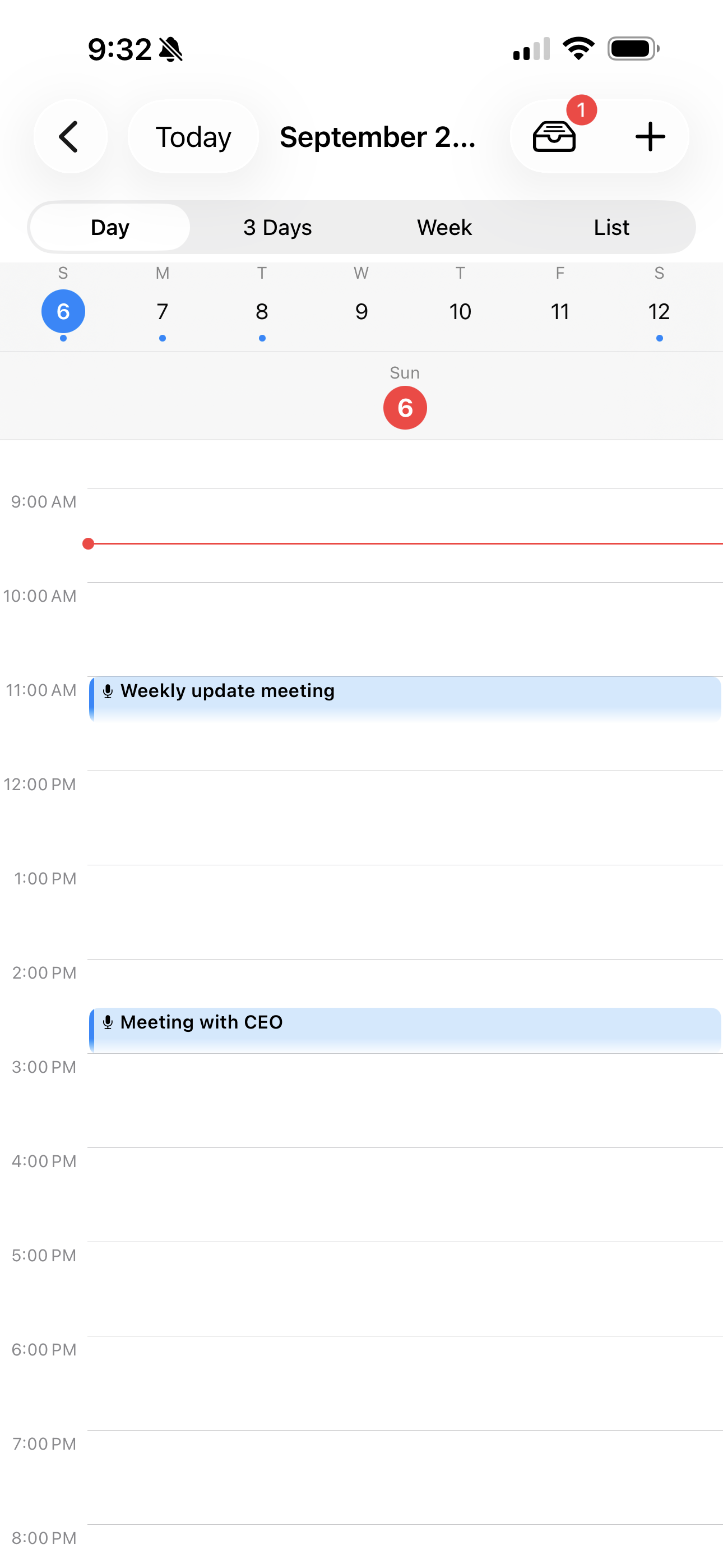
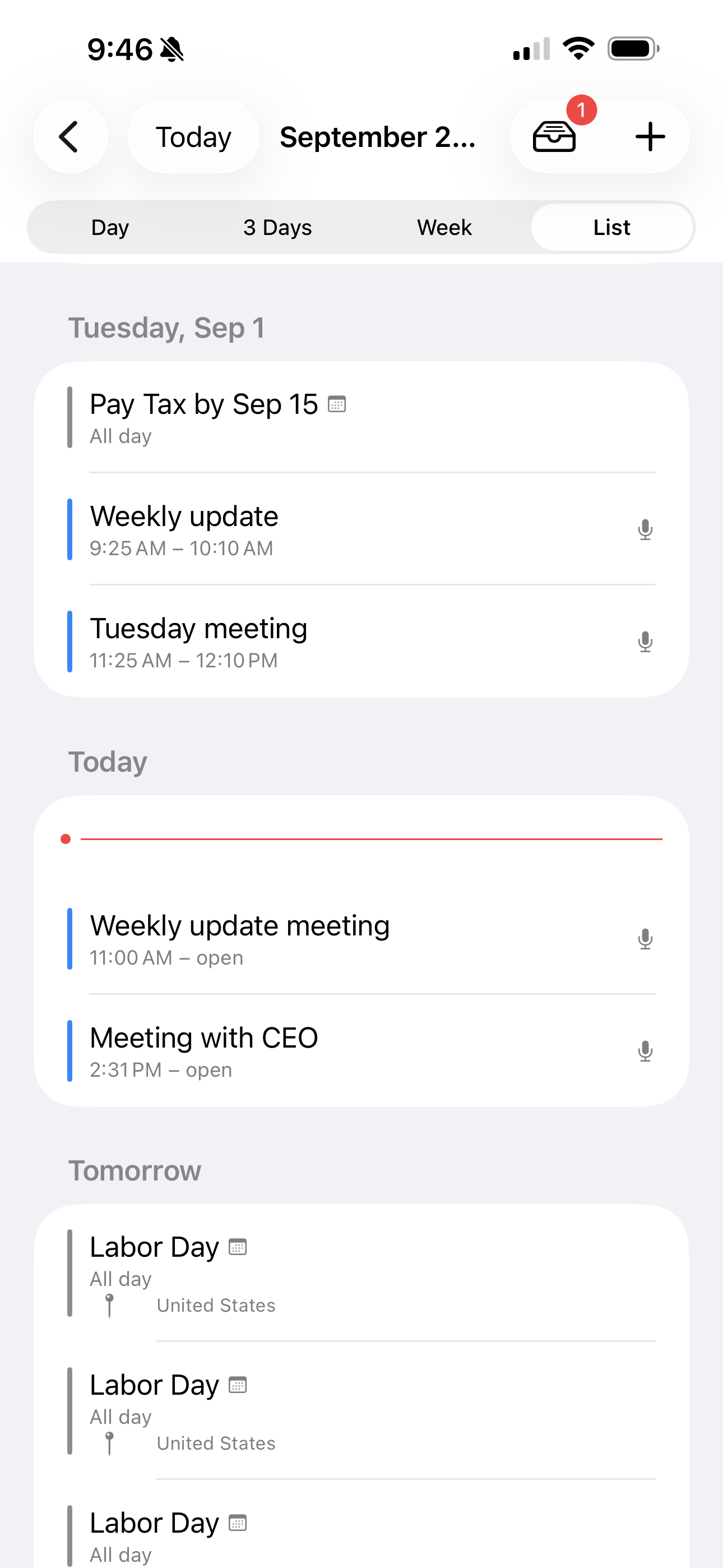
IA Voice Notes' calendar shows your own recording schedule and your iOS Calendar side by side, in Day, 3-Day, Week, or a simple Agenda list — whichever fits how you think about a week. Your iOS Calendar events show up read-only; the app never writes to or edits your system calendar, it just displays what's already there, per-calendar, so you can turn off the ones you don't want cluttering the view (a personal calendar you don't record against, say) in Settings.
The point isn't a prettier calendar. It's that you stop keeping a second mental map of your week just for recording purposes. If it's on your calendar, IA Voice Notes already knows it's there.
Tell it about a meeting however you already found out about it
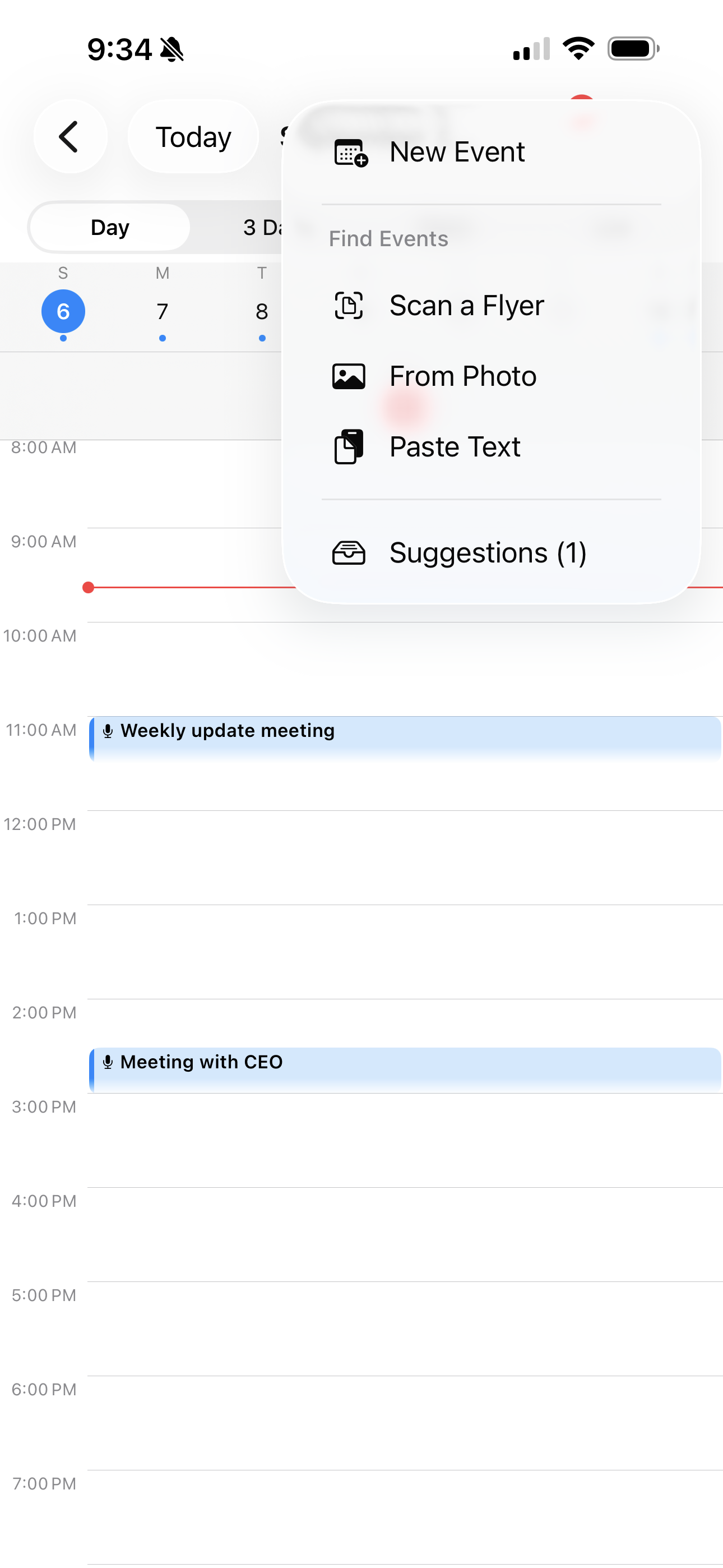
Not every meeting starts as a tidy calendar invite. Sometimes it's a syllabus handed out on paper, a time buried in the middle of a long email, or someone just telling you out loud, "let's do this every Tuesday at 2." IA Voice Notes' AI event capture reads all three: scan a flyer or syllabus, paste in text from an email or message, or say it in a sentence, and it pulls out the date, time, and recurrence and turns it into a proposed event.
Nothing gets added to your calendar silently, though. Every AI-extracted event lands in a review inbox first, where you confirm, edit, or dismiss it — the app suggests, you decide. That's deliberate: an AI that quietly rewrites your schedule is worse than no automation at all.
Recurring events, armed once
A recurring iOS Calendar event — your weekly 1:1, a class that meets three times a week — used to mean re-arming auto-start every single time. Now arming a recurring event covers the whole series in one step, including ones your app doesn't own (a "ghost" event straight from your system calendar can be armed to trigger a recording the same way one of your own scheduled events can). Set it up once at the start of the semester or the quarter, and every future occurrence is already covered.
It only has to be on the calendar
When an armed event's start time arrives, IA Voice Notes opens itself and starts recording — with the right mode already selected for that event, the same reliability that powers scheduled recordings, just driven by a calendar you were already keeping instead of a second list you had to build by hand. You don't check that it's set up correctly every week. You show up, and it's already running.
The takeaway
Your calendar already knows when your meetings are. IA Voice Notes just started listening to it — showing your iOS Calendar and your own schedule in one place, turning a flyer or a spoken sentence into a proposed event you approve, and starting the recording itself the moment a meeting you armed actually begins.
Related Reading
-
Auto-Pilot Your Standups
Schedule recurring recordings and trigger them from Siri Shortcuts, so the standups and 1:1s you always forget to capture record themselves.
-
Recording Modes: One App, a Different AI Assistant for Every Conversation
Recording Modes let a Sales Call, a 1:1, and a Brainstorm each run a different AI assistant — and you can build your own for how you actually work.
IA Voice Notes: notes that listen. Free to download, Pro available for $0.99.
Download Free