Notes
that listen.
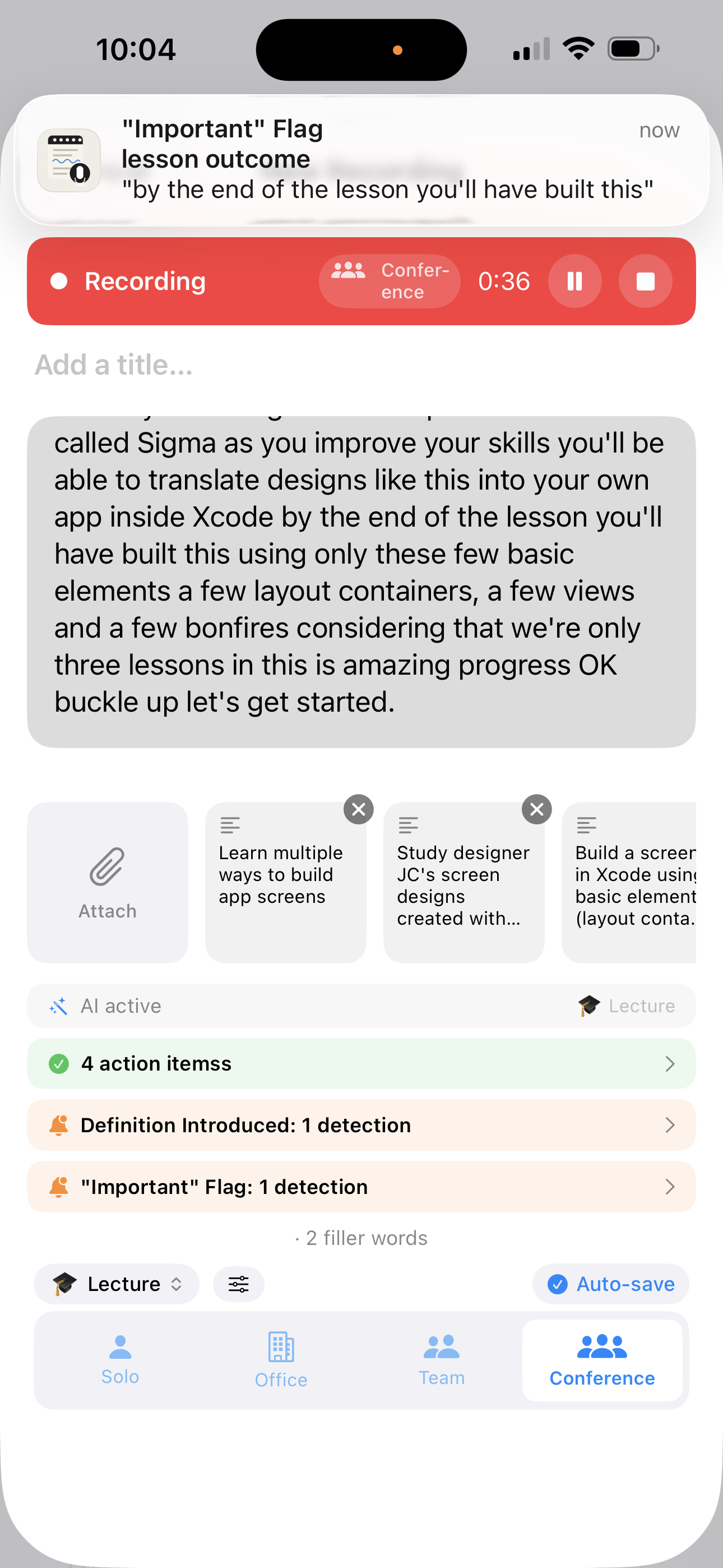
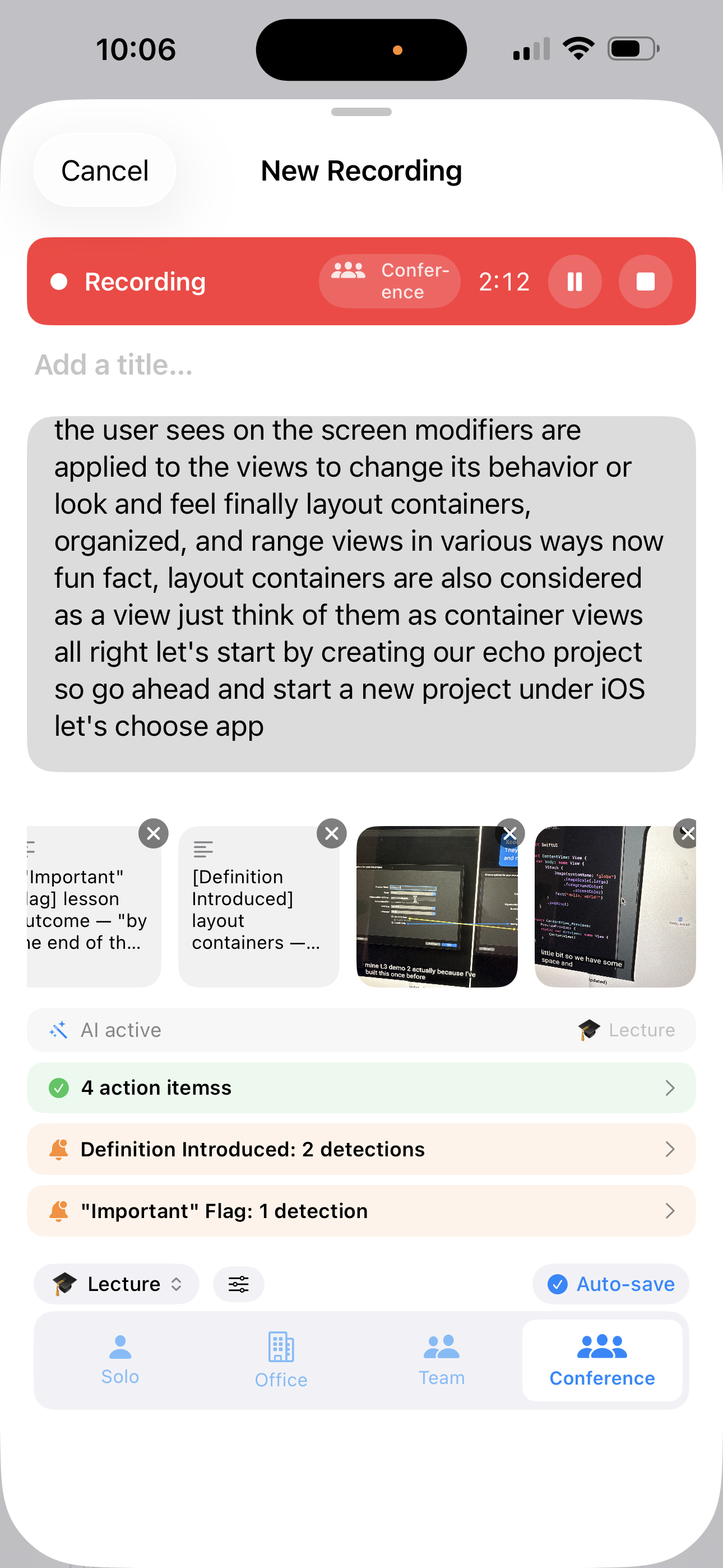
Bring IA Voice Notes to a meeting, lecture, or interview. It transcribes in real time, runs live AI to surface action items and key terms as you speak, and lets you attach photos — so every spoken moment becomes a searchable, shareable note.
Free to download · AI works free, no key needed · Pro available for $0.99
Everything a great
notebook should do.
Built on Apple's on-device speech engine — your words are transcribed instantly and processed locally first, so your lectures, conversations, and ideas stay private.
AI that works while you record
Choose a recording mode and let the built-in AI detect action items, flag key terms, and summarise — all while you're still speaking. A full summary and Q&A are ready the moment you stop.
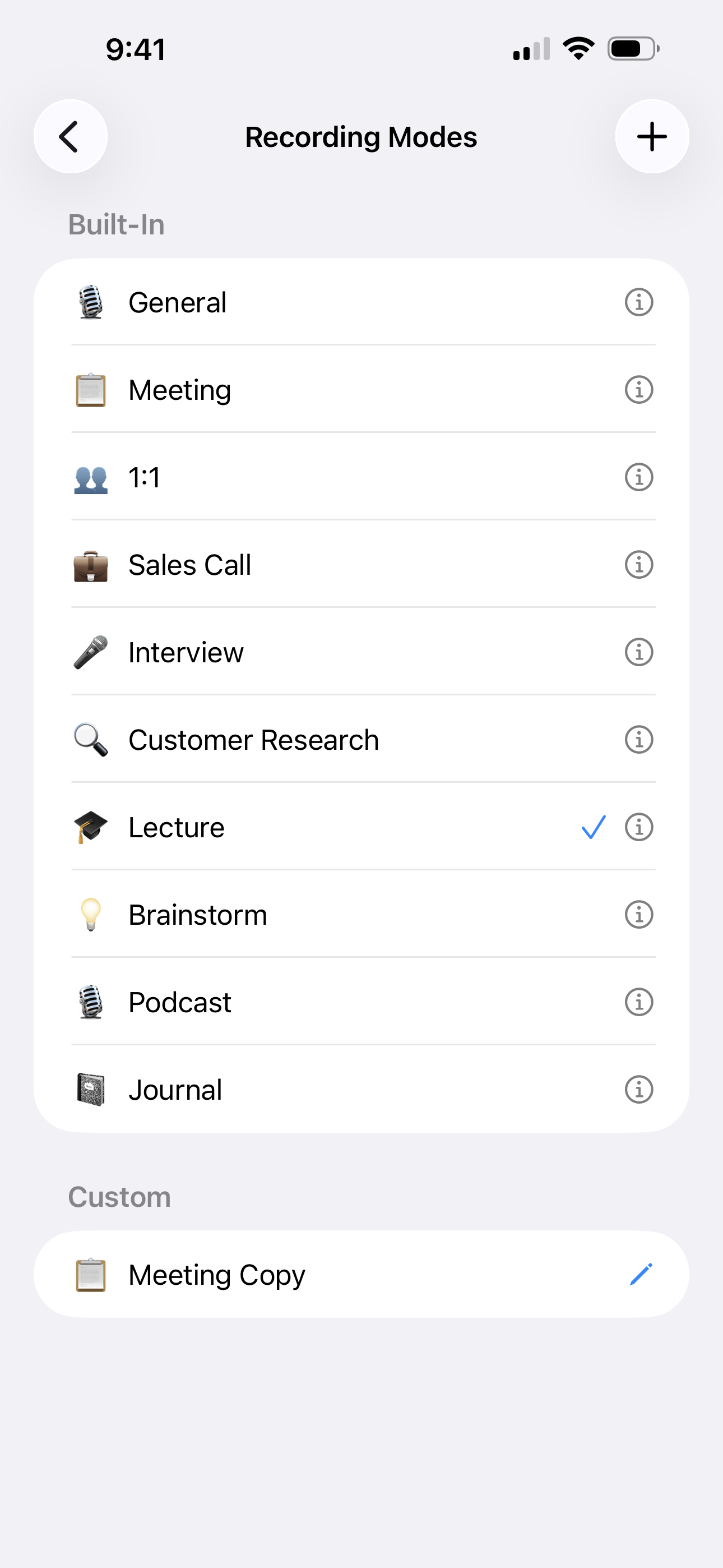
10 built-in recording modes
Meeting, Interview, Lecture, Sales Call, Brainstorm, Podcast, and more — each pre-configured with the right AI features. Build your own custom modes too.
Real-time transcription
Words appear on screen as you speak. Apple's speech engine adds punctuation automatically. Choose from dozens of languages — your selection is shown in the recording screen so you always know what's active.
Attach photos & scans
Photograph a whiteboard, scan a handout, or grab from your photo library mid-recording. Every attachment is timestamped to the exact moment in the audio.
Synced timeline view
Replay any recording and watch the transcript highlight in sync with the audio. Attached photos, scans, and AI results appear in the timeline exactly when they were captured.
A calendar that starts recording for you
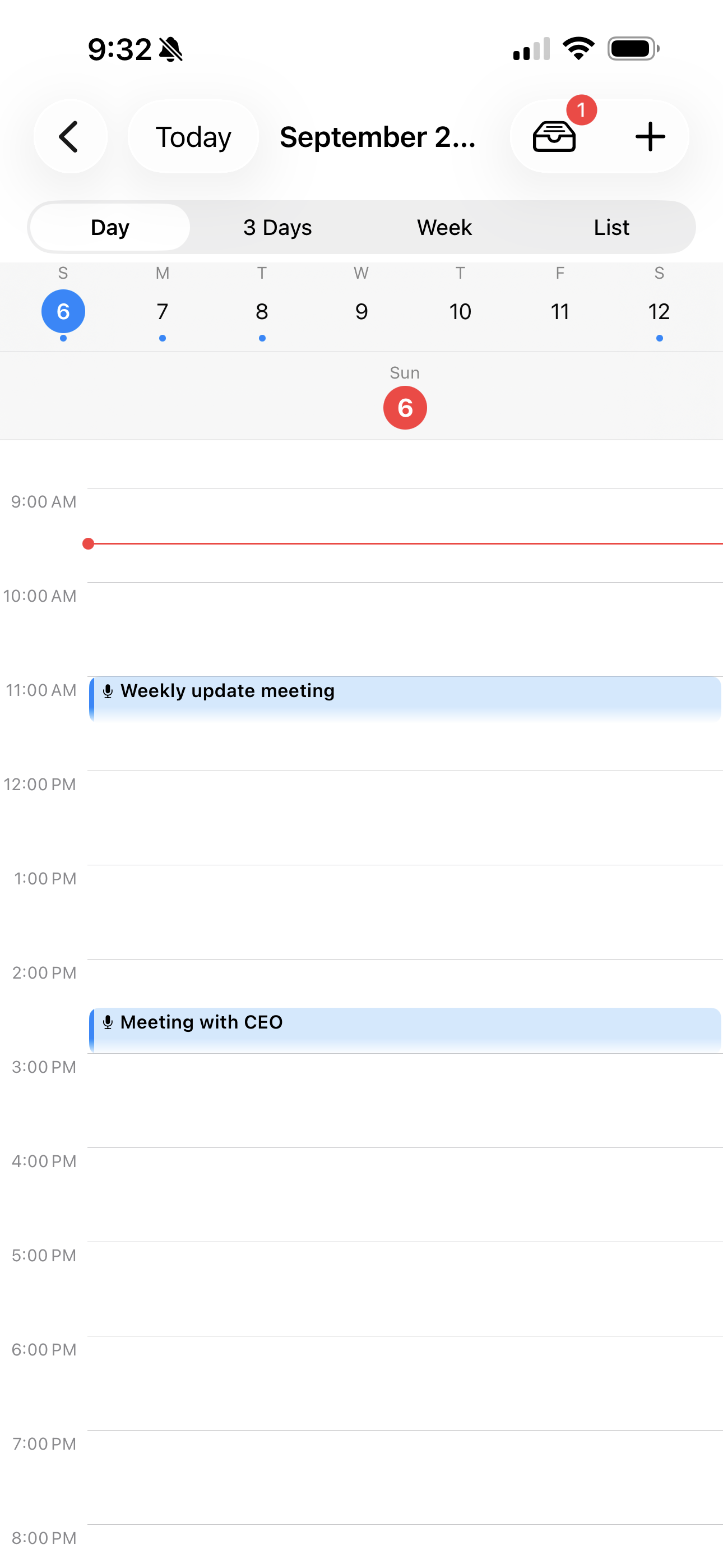
See your recordings and events on a Day, 3-Day, Week, or List calendar. Turn on auto-start for a meeting or class and the app opens and starts recording the moment it begins — arm a recurring event once and it covers every week.
Turn any mention into an event
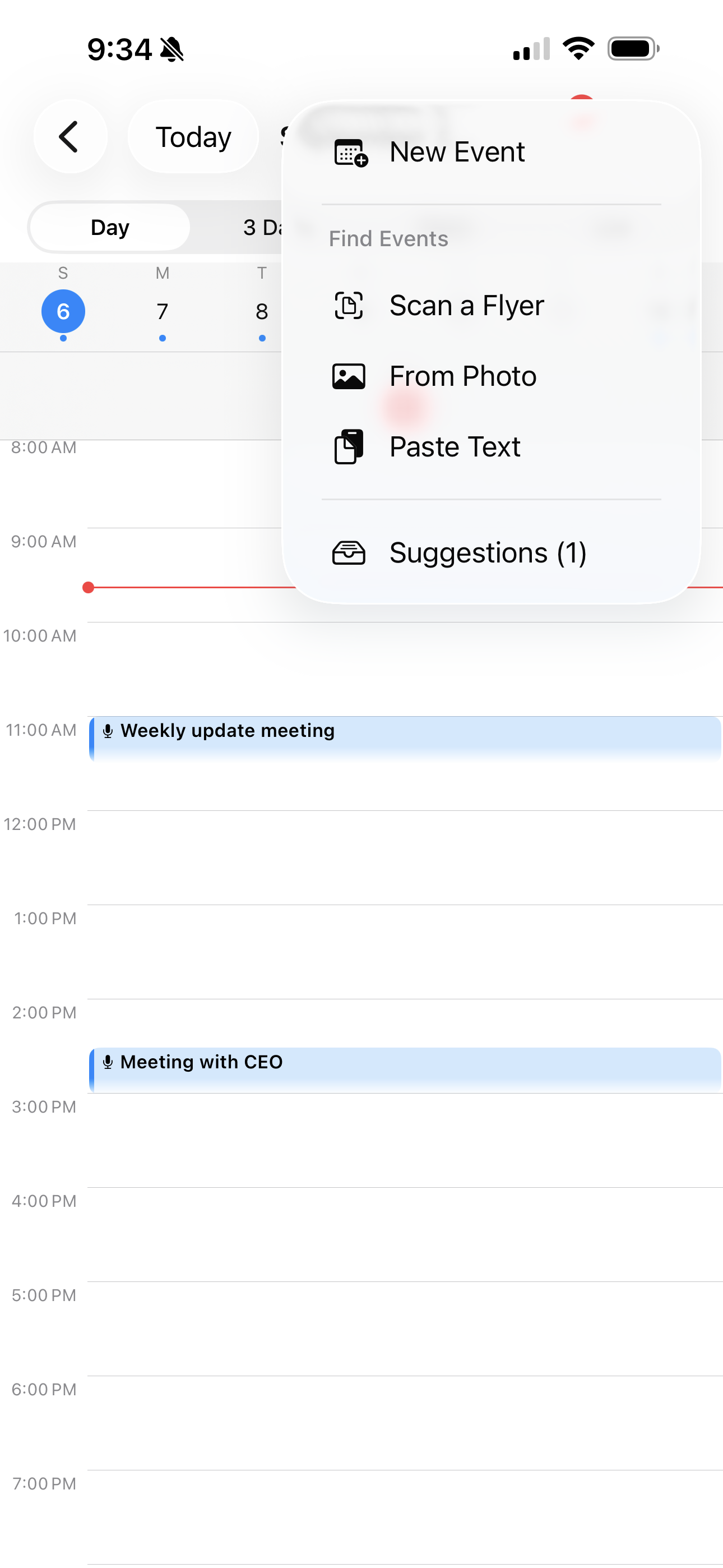
Scan a flyer, drop in a screenshot, or just say the date out loud — AI extracts the event and drops it in a Suggestions inbox to review. Every suggestion links back to the exact moment it came from, so you can double-check what was actually said.
Export & share
Export a single note or a whole batch as Markdown or a self-contained HTML file with embedded audio. Share to Obsidian, Notion, email, or anywhere that accepts files.
Privacy-first
Transcription runs on-device via Apple's Speech framework — your recordings never leave your phone unless you share them or use an AI feature. AI works free out of the box; bring your own Anthropic or OpenAI key instead and nothing but that request ever leaves your device.
See it in action.
Scroll to explore every screen.
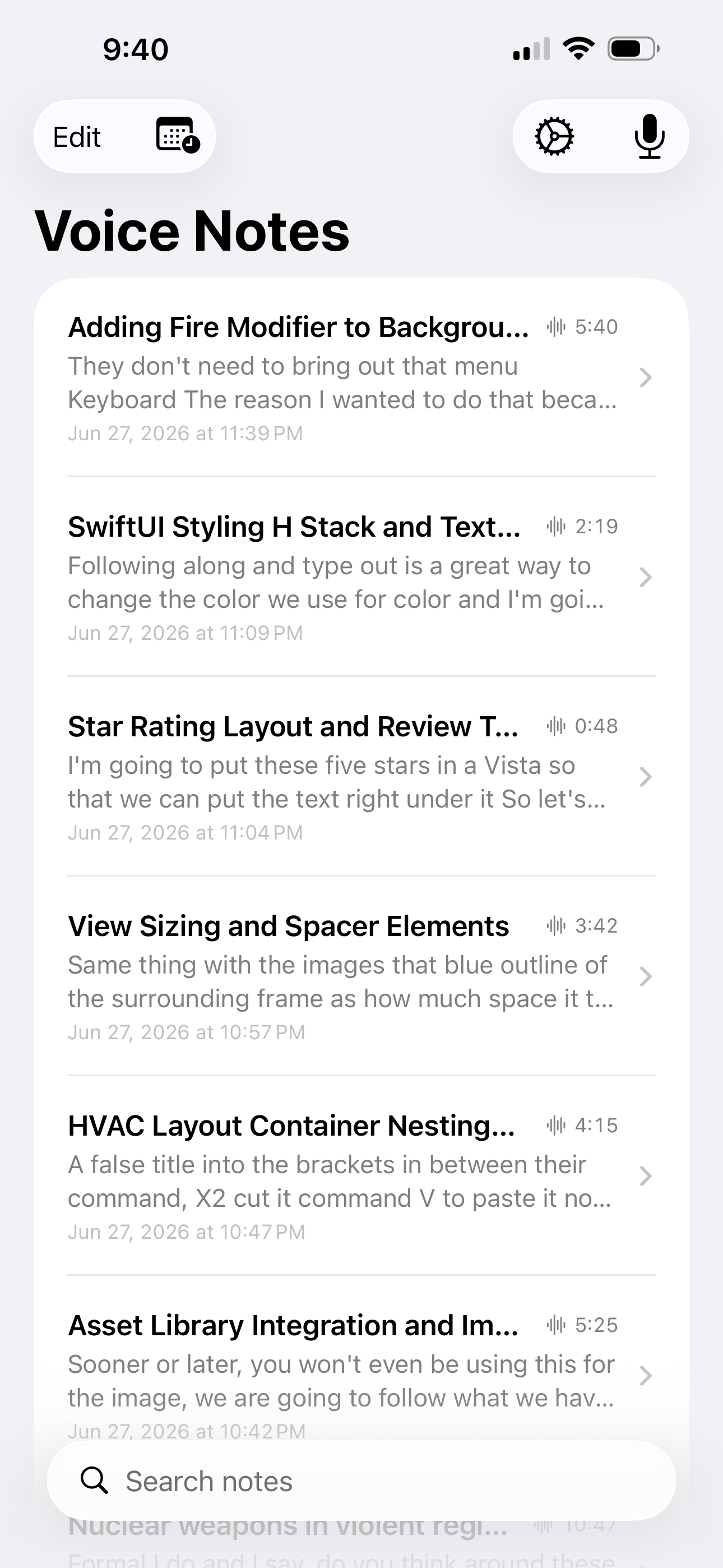
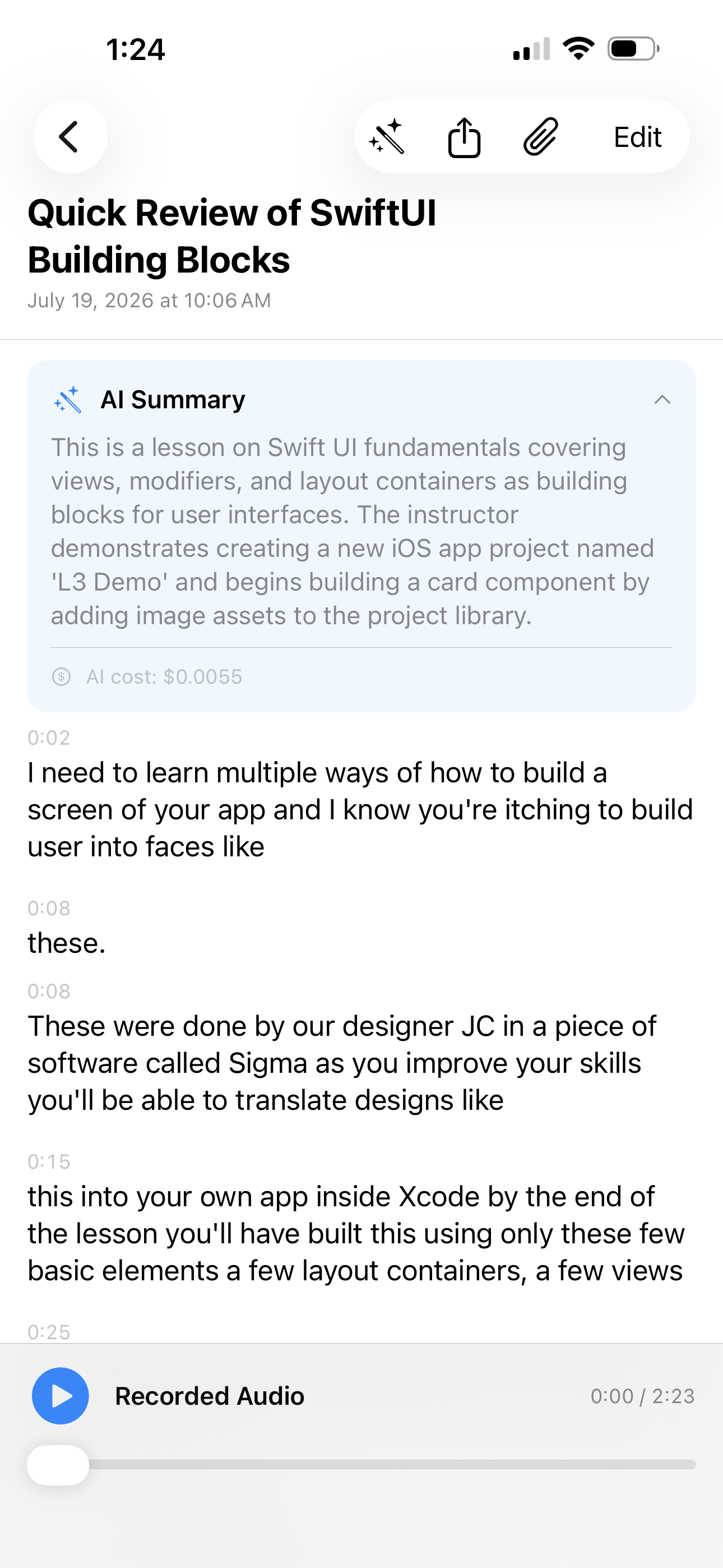
Action items, summaries, and Q&A — free, no setup.
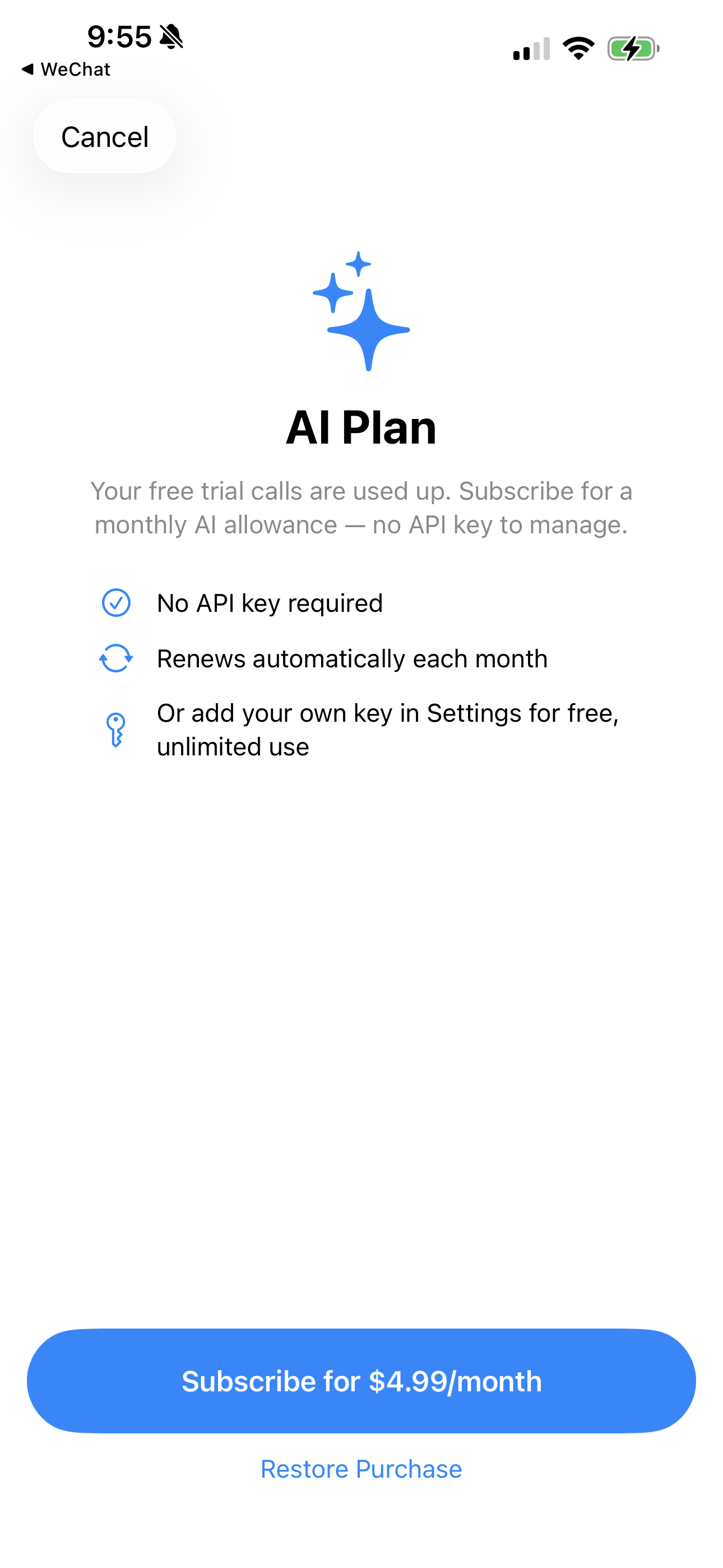
Every install gets free AI calls, no account and no API key. Need more after that? An optional monthly AI Plan keeps it going — or add your own Anthropic or OpenAI key for free, unlimited use instead.
Free trial · AI Plan $4.99/mo (500 calls) · AI Plan Plus $14.99/mo (2,000 calls) · cancel anytime
Unlock the full experience.
A one-time purchase for Pro. No subscription, no renewal, no surprises — separate from the optional AI Plan above.
One-time purchase · Unlocks all future Pro features